0 item(s)
View cart
You have no items in your shopping cart.
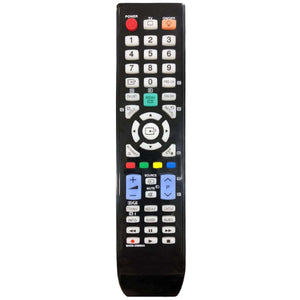
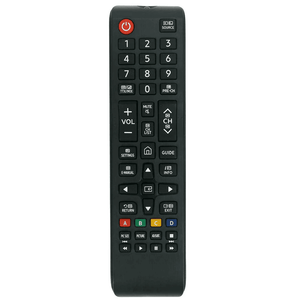
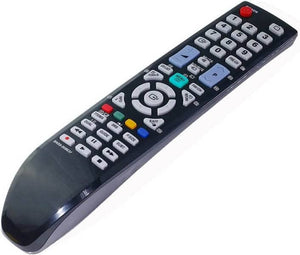
Restore convenient control of your Samsung television with this replacement TV remote control, designed for compatibility with selected Samsung televisions that use AA59 series infrared remotes.
This replacement remote is advertised as compatible with Samsung AA59-00401B, AA59-00401C, AA59-00403E, AA59-00421A, AA59-00483A and AA59-00508A remote models.
Featuring infrared (IR) wireless technology, this replacement remote provides an easy and practical solution for replacing a lost, damaged, broken or non-working Samsung TV remote.
No programming or complicated setup is required for compatible televisions. Simply insert the required AAA batteries, point the remote towards your Samsung TV and start using it.
Suitable for everyday use at home, in bedrooms, guest rooms, offices, rental properties and other locations with compatible Samsung televisions.
Compatible with Selected Samsung TVs – Designed to replace the listed Samsung AA59 series remote controls.
Infrared (IR) Technology – Communicates wirelessly with compatible Samsung televisions.
No Programming Required – Ready to use after inserting batteries with supported TV models.
Convenient TV Operation – Provides access to supported power, volume, channel and menu functions.
Durable Construction – High-quality design suitable for regular everyday use.
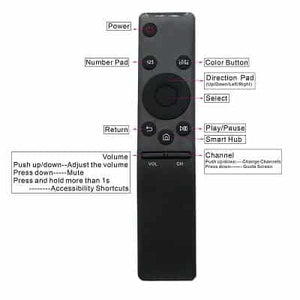
Easy-to-Use Button Layout – Practical controls for convenient television operation.
Ideal Replacement or Spare – Suitable for replacing lost, damaged or faulty TV remotes.
Battery Operated – Requires AAA batteries (not included).
| Specification | Details |
|---|---|
| Product Type | Replacement TV Remote Control |
| Compatible Brand | Samsung |
| Compatible Remote Series | Samsung AA59 Series |
| Connection Type | Infrared (IR) |
| Programming Required | No |
| Battery Type | AAA (not included) |
| Colour | As pictured |
| Construction | Durable design |
| Condition | Brand New |
| Package Quantity | 1 Remote Control |
This replacement remote control is advertised as compatible with the following Samsung remote model numbers:
AA59-00401B
AA59-00401C
AA59-00403E
AA59-00421A
AA59-00483A
AA59-00508A
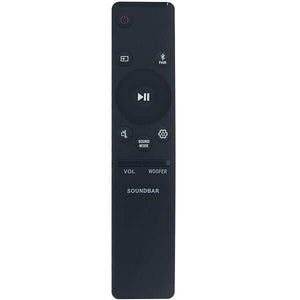
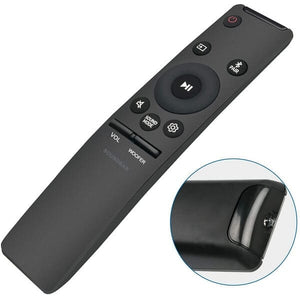
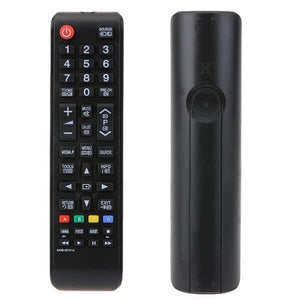
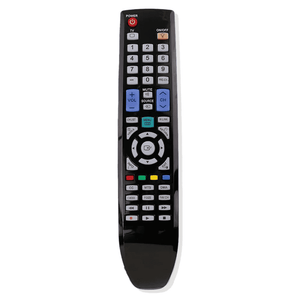
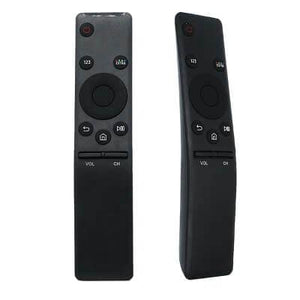
Important Compatibility Notice: The model numbers listed above refer to Samsung remote controls, not necessarily television model numbers. Please check the model number printed on your original remote and compare its button layout with the product images before purchasing.
If your remote model is not listed or your original remote looks different, please contact us to confirm compatibility.
Open the battery compartment on the back of the replacement remote.
Insert the required AAA batteries, following the correct polarity markings.
Close the battery compartment securely.
Point the remote towards the infrared receiver on your Samsung television.
Press the power button to begin operating your compatible TV.
No additional programming is required for supported infrared functions.
1 × Replacement Remote Control for Samsung TV
AAA batteries are not included.
This is a compatible replacement remote control, not necessarily a genuine Samsung-branded product.
The remote uses infrared technology and requires a clear signal path to the television.
Bluetooth, voice control and other smart remote functions are not supported unless explicitly specified.
Available functions depend on the remote's button layout and the compatible Samsung television.
Please verify compatibility before purchasing.
Frequently Asked Questions (FAQs)
Yes. The Samsung AA59-00401B is included in the advertised compatible remote model list.
Yes. This replacement remote is listed as compatible with Samsung AA59-00401C. Please compare the button layout with your original remote before ordering.
Yes. The Samsung AA59-00403E is included in the advertised compatibility list.
Yes. This replacement remote is listed as compatible with Samsung AA59-00421A.
Yes. The Samsung AA59-00483A is included in the compatible replacement remote model list.
Yes. This remote is advertised as compatible with Samsung AA59-00508A.
No. For compatible Samsung televisions, simply insert the required AAA batteries and point the remote towards the TV. No programming or pairing is required for supported infrared functions.
The remote is intended to operate supported Samsung television functions. Available controls depend on the remote's button layout and your compatible TV model.
This is an infrared (IR) replacement remote control. Bluetooth and voice control functionality are not advertised.
No. AAA batteries are required but are not included in the package.
This product is described as a compatible replacement remote control. It should not be considered a genuine Samsung-branded remote unless specifically stated.
It may work with additional Samsung television models, but compatibility is not guaranteed. Please contact us with your original remote model or television model number before purchasing.
Check that the batteries are installed correctly and have sufficient charge. Make sure the remote is pointed towards the TV's infrared receiver without any obstruction. If the issue continues, please contact our customer support team for assistance.